
Revit–Excel Synchronization
Export schedule data to structured Excel workbooks and import edited values back into Revit.

SymetrIQ Data Sync
Export Revit schedules to Excel, edit parameter values in bulk, and bring validated changes back into your model. Data Sync helps BIM teams manage project data while detecting conflicting changes.
Public download: Coming soon.
Export schedule data to structured Excel workbooks and import edited values back into Revit.
Compare original, Excel and current Revit values to identify changes and conflicts before applying updates.
Work with multiple schedules in a single Excel file, with a separate worksheet for each schedule.
Manage supported instance and type parameters, including element-level data from grouped Revit schedules.
Create Excel reports that preserve schedule grouping, headers and totals without changing the Revit model.
Choose one or multiple Revit schedules.
Create a Sync workbook for editing or a Report workbook for presentation.
Update parameter values using familiar Excel tools.
Import your Sync workbook, validate changes and apply eligible updates to Revit.
Important: Report workbooks are export-only and cannot be synchronized back into Revit.
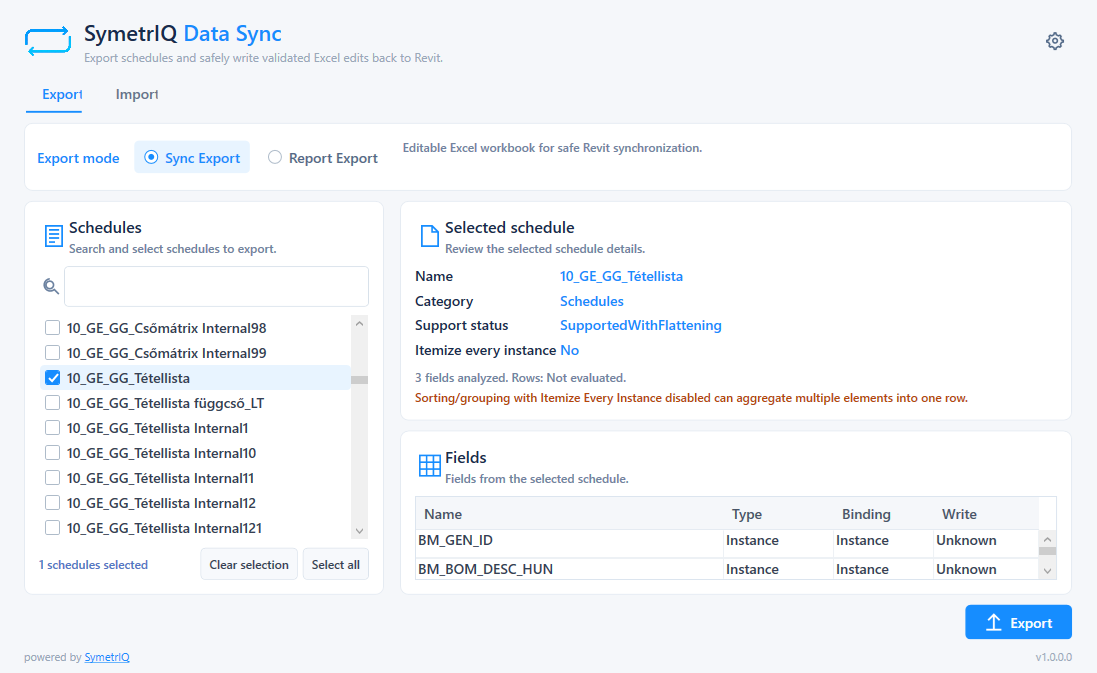
Select schedules and choose between Sync Export and Report Export.
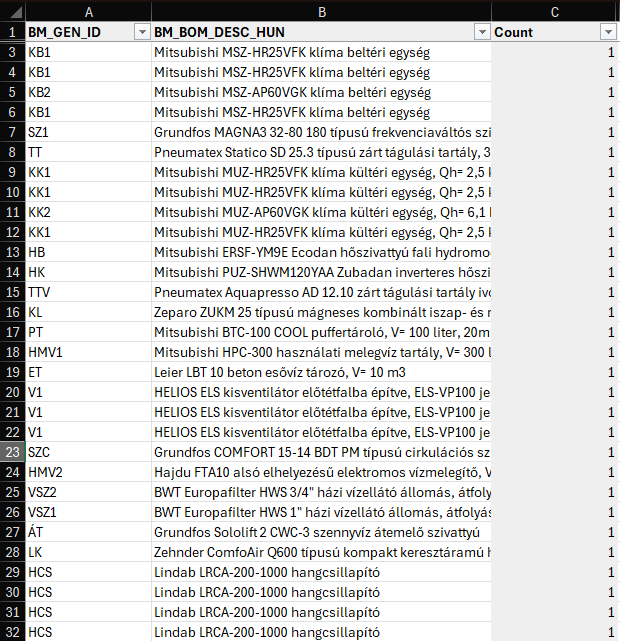
Edit parameter data across multiple Excel worksheets.
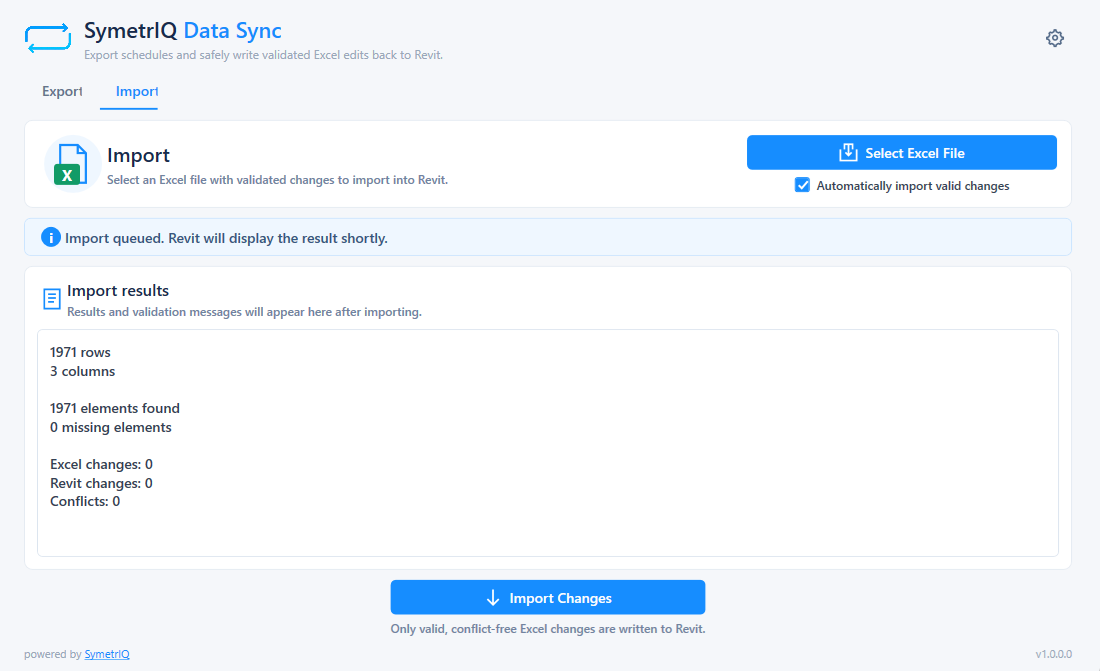
Review validated changes and synchronization results.
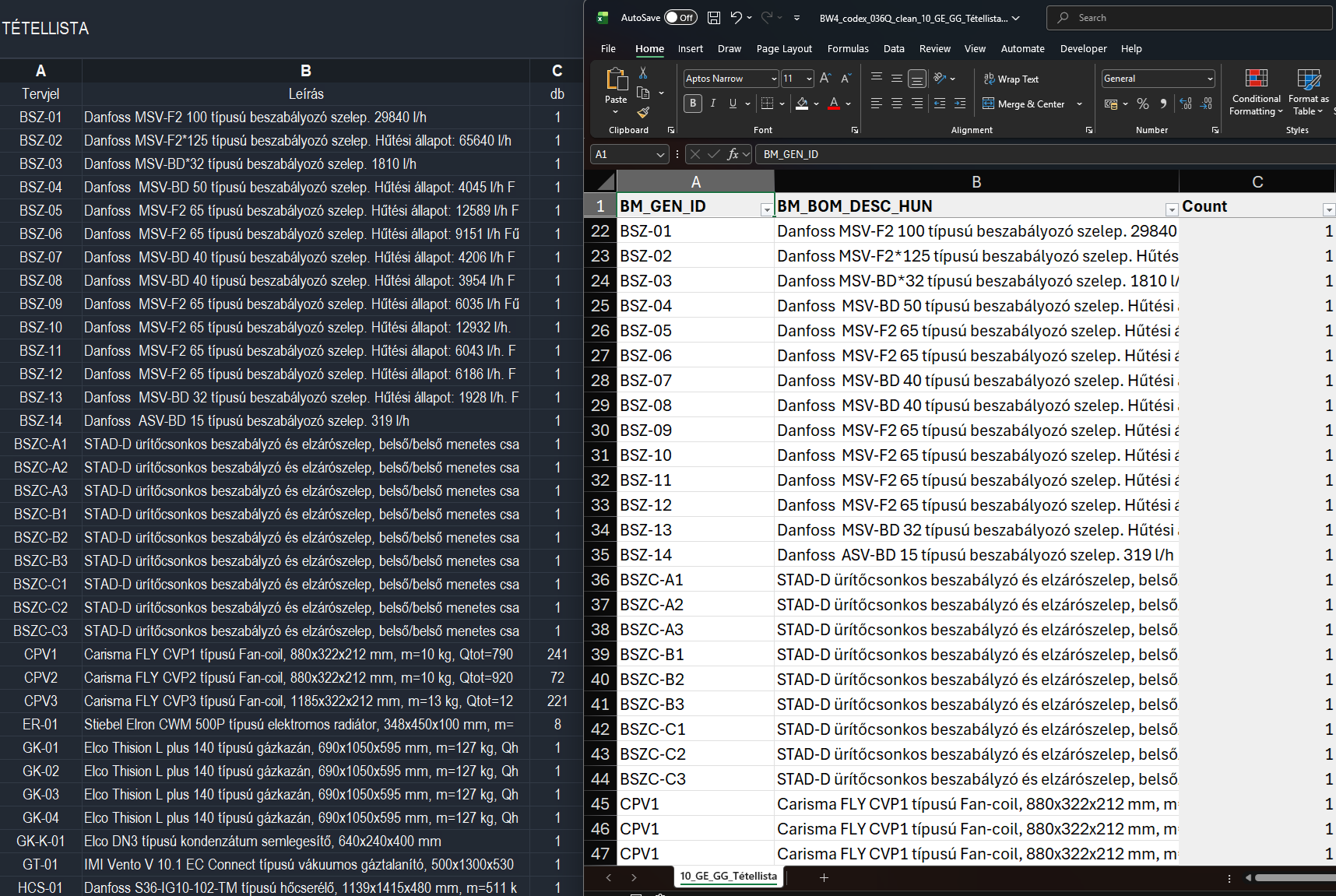
Preserve schedule grouping and totals in Excel reports.
From bulk parameter updates to structured Excel reports, work with BIM information more efficiently and with greater control.
Contact us